Operations software for ISPs, cable & telecom operators

All-in-One Telecom & Internet Operator Management Software

Run your entire internet, cable, and telecom business from one powerful platform.

Ops365 is an all-in-one operator management software built for internet service providers, broadband operators, cable TV operators, and telecom businesses. Manage customer complaints, online bill payments, inventory, field service operations, sales CRM, and payroll from a single real-time dashboard.

Give your customers a self-service experience where they can log in, check the real-time status of their complaints, pay their bills directly online, and quickly reach your customer support team through dedicated calling support numbers.

From customer management and complaint handling to billing, collections, inventory, sales, and payroll, Ops365 helps operators streamline daily operations, improve customer service, and grow their business from one platform.

Manage customers. Resolve complaints. Control inventory. Collect payments. Grow your operator business — all with Ops365.

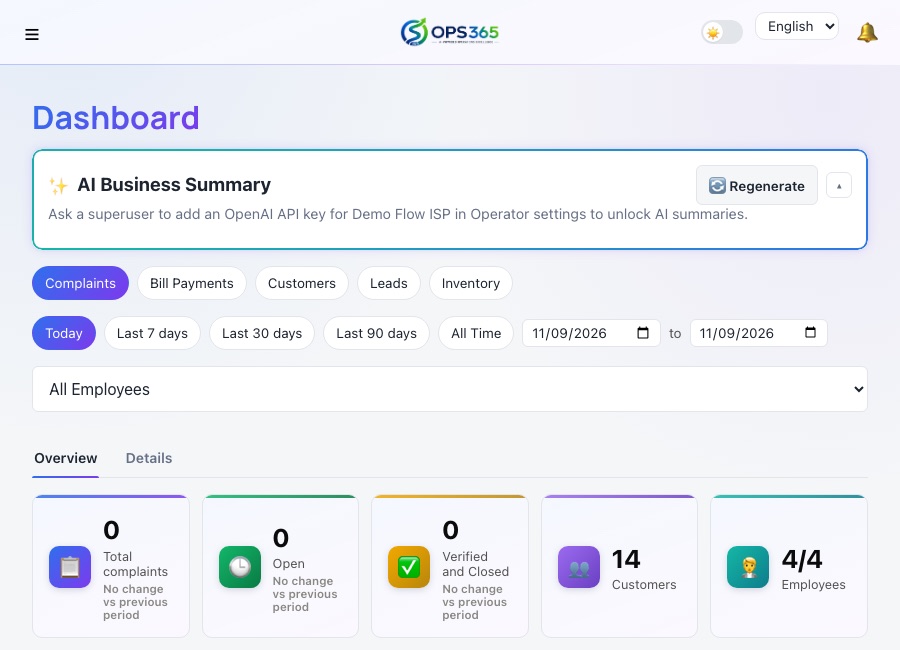
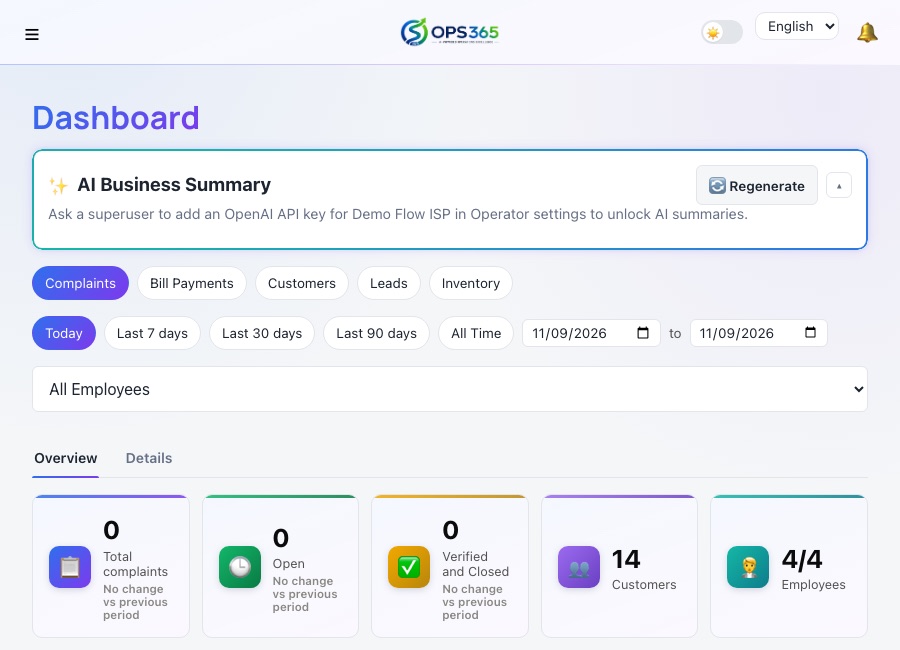
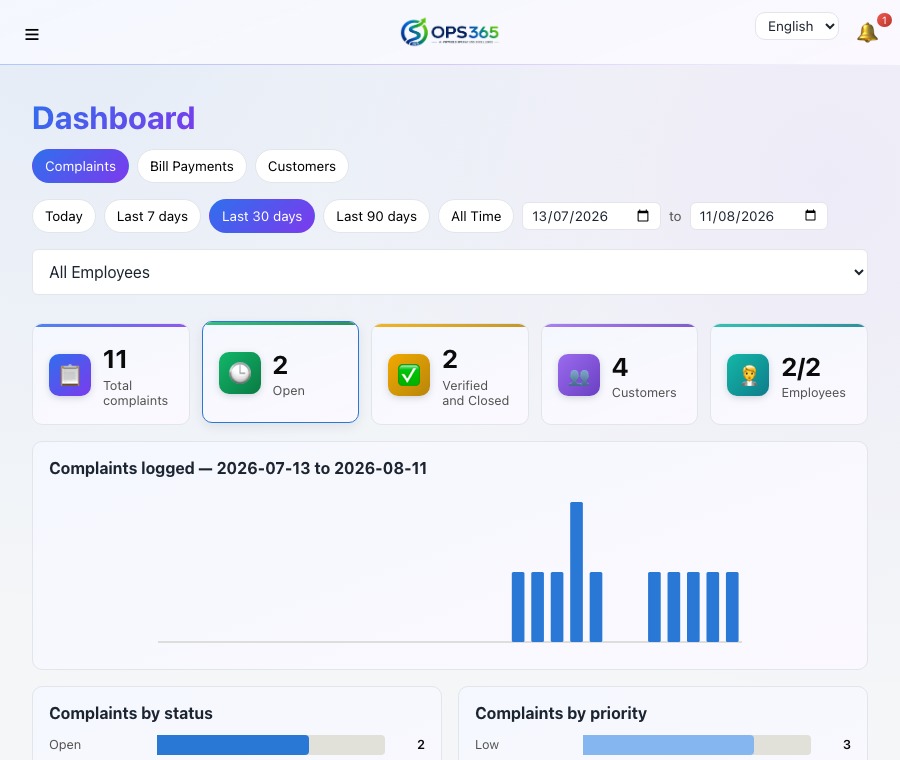
Ops365 analytics dashboard showing complaint totals and status breakdown
5User roles, one system
Real-timeLive sync everywhere
3Languages supported
EncryptedPayment credentials at rest

Everything an operator needs. Nothing they don't.

Twelve connected modules, built around how ISP and cable operators actually work.

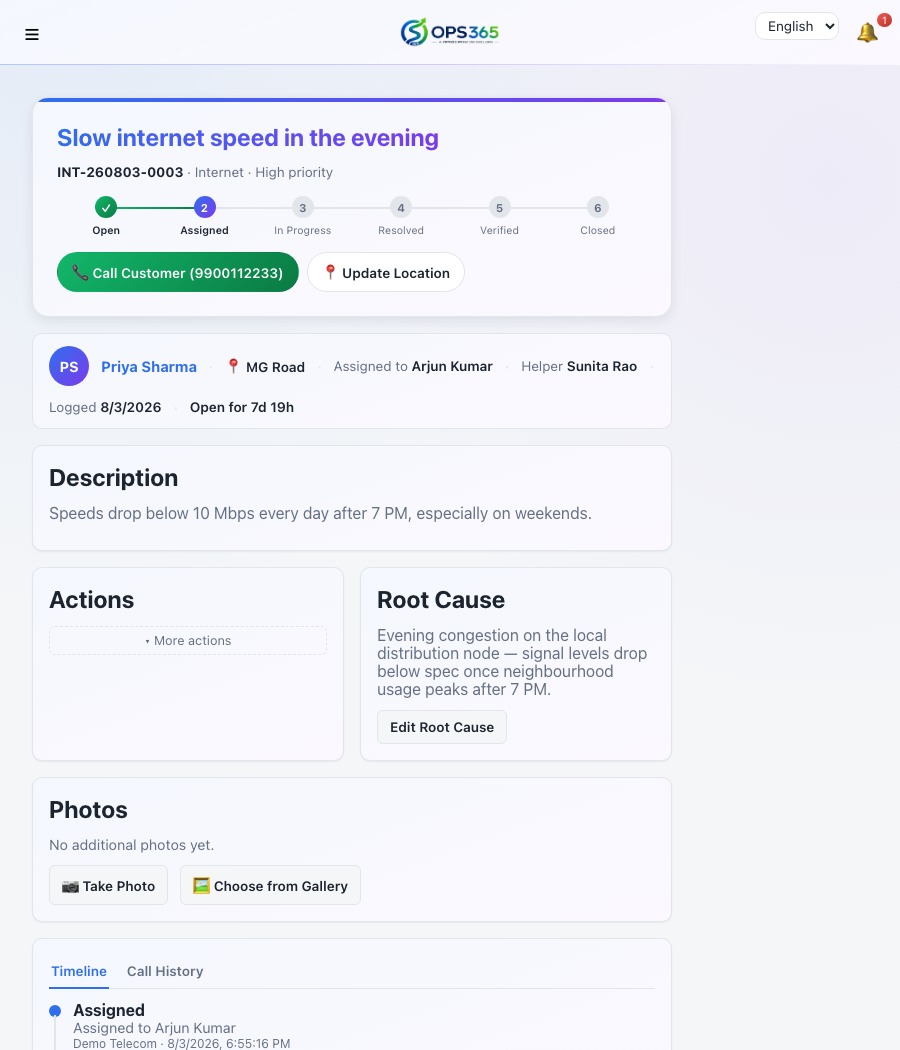
Complaint detail screen showing status, assigned employee, and timeline
Complaint Management

From first call to final fix.

Every complaint moves through a clear lifecycle — Open, Assigned, In Progress, Resolved, Verified, Closed — with a full history of who did what and when. Field employees close the loop with a photo and GPS-verified proof of resolution, and customers accept or reject the fix themselves before it's marked done.

  • Guided status workflow with a built-in audit trail
  • Photo + GPS proof required to resolve a ticket
  • Customer accept/reject with reopen-on-reject
  • Assign a second "helper" employee on tougher jobs
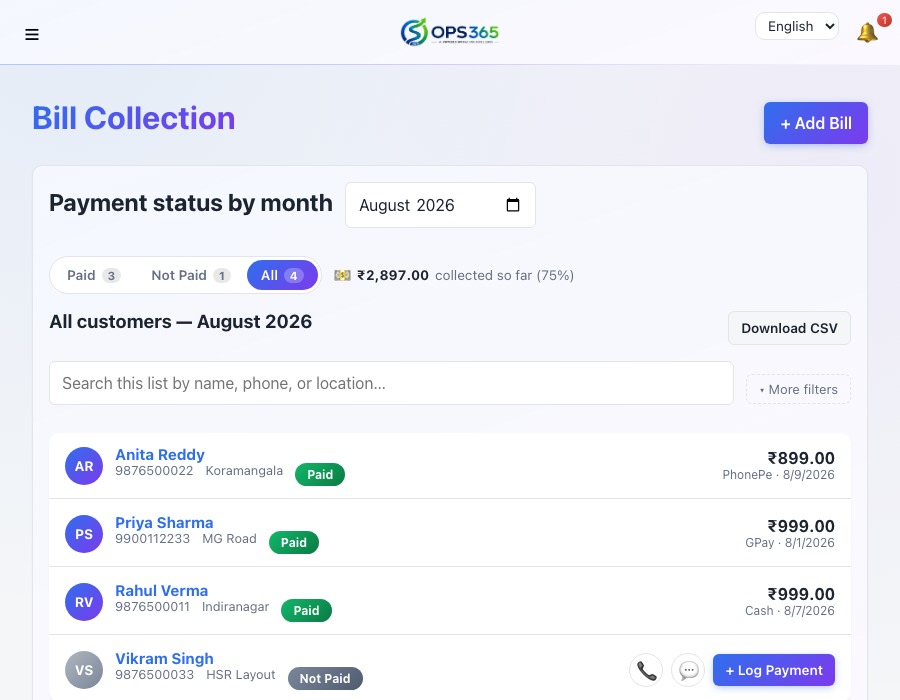
Not Paid roster showing a Promised to Pay follow-up tag and a Send Collection Employee visit tag
Billing & Online Payments

Get paid faster — automatically.

Record monthly payments with auto-generated invoice numbers, or let customers pay themselves. With a payment gateway connected, a customer can clear any pending month instantly online — or submit an offline GPay/PhonePe payment with a screenshot for your team to review and approve, no manual follow-up needed either way. When someone doesn't pick up, log the call right from the Not Paid list, track a Promised to Pay date, or send your own collection team out to collect in person — every attempt and outcome stays on record.

  • One bill per customer per month, enforced automatically
  • Multi-month payments for backlogs or advance payments
  • Customer self-service payments — online via Razorpay/Cashfree, or offline via GPay/PhonePe
  • Auto invoice numbering, printable receipts
  • Offline claims held for staff review, with amount mismatches flagged automatically
  • Call logging with Promised to Pay follow-ups and collection employee visits
  • Shortfall tracking — partial payments automatically create an outstanding balance on the account
  • Bill Collection by Expiry Date — see who's paying late against their plan validity, in one view
Customer profile showing an active status and a highlighted expired plan badge
Customer Plans & Renewals

Never lose a customer to a status flip.

Plans can span multiple months with free bonus months built in, and a proactive WhatsApp reminder goes out before one lapses. If it does lapse anyway, the customer stays fully active — visible, reachable, still able to log in — with a highlighted badge flagging it. Deactivating is always a deliberate call your team makes, never something a date silently does on its own.

  • Multi-month plans with free bonus months built in
  • Automatic WhatsApp renewal reminder before expiry
  • An expired plan stays active until your team decides otherwise
  • Highlighted "plan expired" badge, everywhere it matters
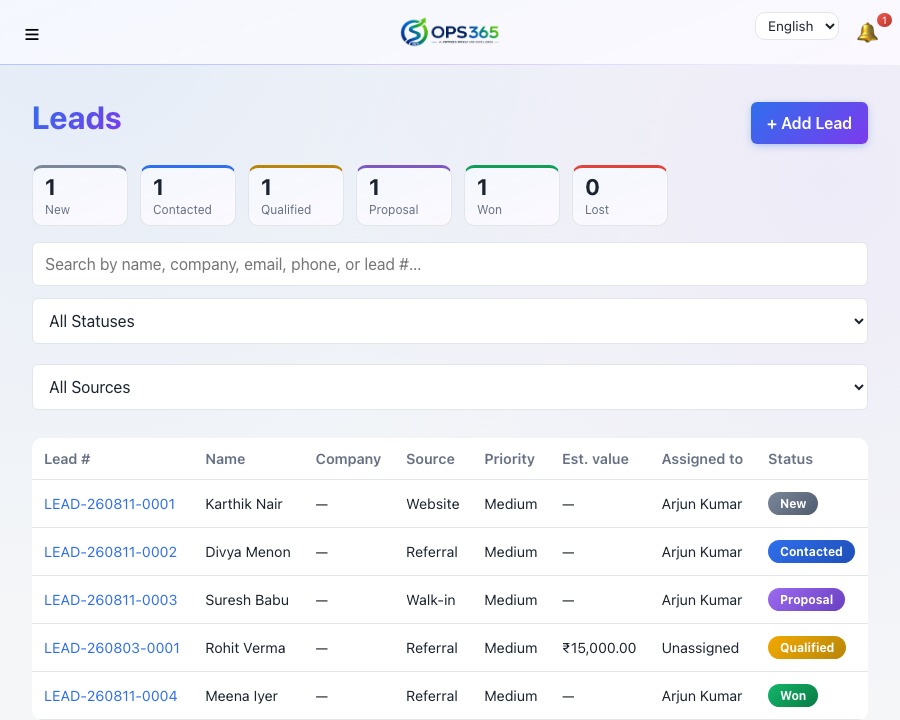
Leads pipeline showing a lead moving through New, Contacted, Qualified stages
Sales CRM

Turn prospects into customers.

Track every lead through a proper sales pipeline — New, Contacted, Qualified, Proposal, Won or Lost — and convert a won lead into a live customer account in one click, carrying over their plan and service details automatically.

  • Staged pipeline built for how sales teams actually sell
  • One-click conversion into a full customer account
  • Full activity timeline per lead
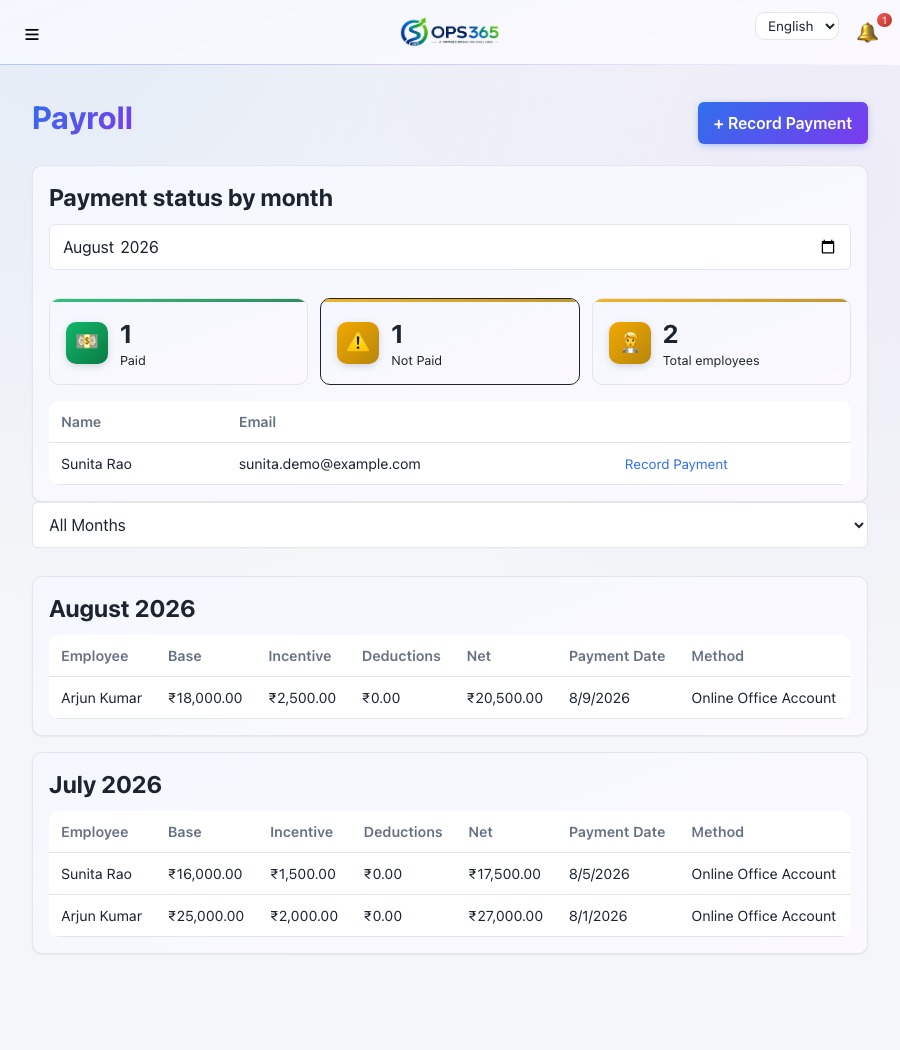
Payroll screen showing an employee's base salary, incentive, and net payment
Field Team & Payroll

Know where your team is — and pay them right.

See every field employee's live location and day's movement on a map, track attendance, and run payroll with base salary, incentives, and advance deductions — all reconciled automatically. A performance report shows who's resolving fastest.

  • Live GPS tracking and historical day-tracks
  • Attendance marking with a monthly summary
  • Payroll with advances and automatic deductions
  • Resolution-time performance report, per employee
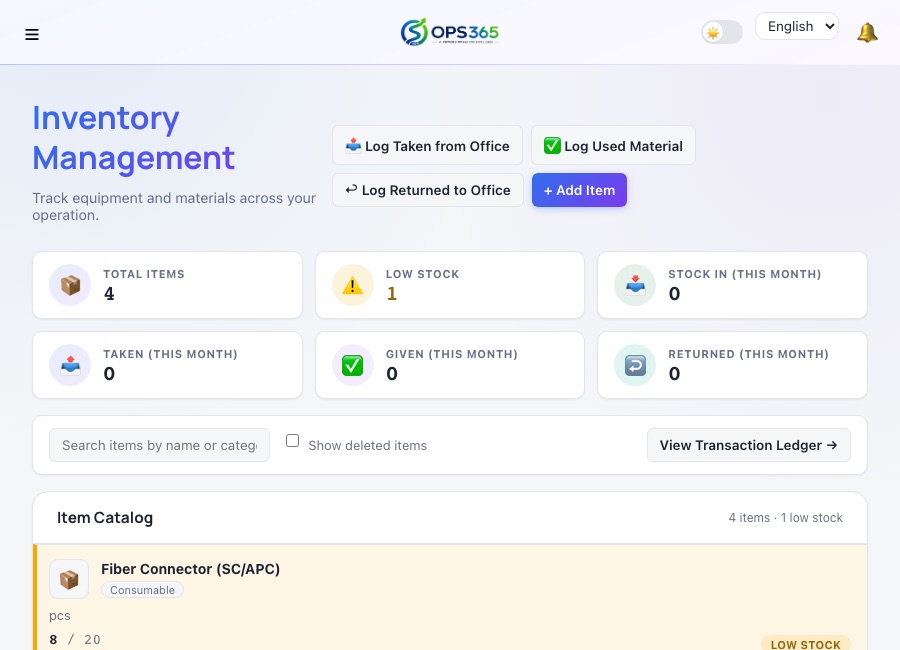
Inventory catalog showing stock levels and a low-stock warning
Inventory Management

Know what's in stock before your technician asks.

A per-operator stock catalog with Stock In, Taken, and Given tracking, automatic low-stock warnings, and a full transaction ledger — so cable, routers, and patch cords never run out mid-installation, and every item's history stays traceable back to who took what and when.

  • Real-time stock levels with low-stock warnings
  • Stock In / Taken / Given ledger, per employee
  • Batch and drum-length tracking for fiber cable
  • Full transaction history — nothing silently overwritten
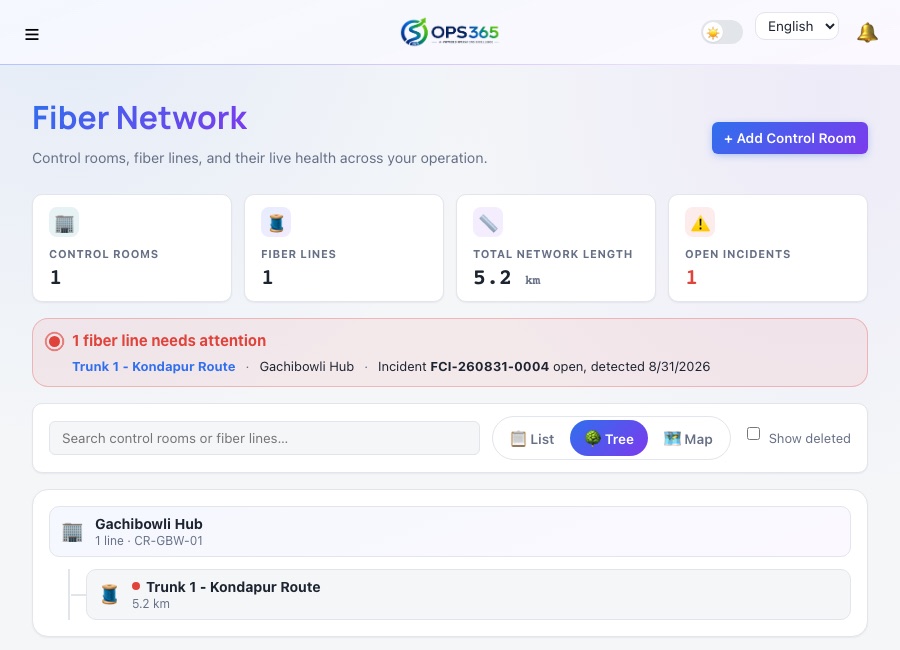
Fiber Network screen showing control rooms, fiber lines, and their live status
Fiber Network Tracking

Find the fault before the complaints pile up.

A catalog of control rooms and the main fiber lines feeding them, with OTDR reading history and cut-incident tracking — so a technician can pinpoint a break by distance instead of walking the whole route, and every past incident stays on record for the next one nearby.

  • Control room and fiber line catalog, per operator
  • OTDR reading history for fast fault diagnosis
  • Cut-incident tracking with status and resolution notes
  • Map view of every incident location
  • Real road-route tracing between the control room and the cut site
Mikrotik router fleet showing two routers online, ready for Test Connection and Live Sessions
Mikrotik Router Integration

Provision a subscriber once. It syncs straight to the router.

Connect your fleet of Mikrotik routers — REST API on newer RouterOS, the legacy binary API on older devices — and manage PPPoE/Hotspot subscriber accounts from inside Ops365 instead of logging into each device by hand. Live sessions stream in as they connect, and every login/logout is kept as history, not just a snapshot of who's online right now.

  • One-click PPPoE/Hotspot provisioning, synced to the real router
  • Works with both current RouterOS (REST) and older legacy-API devices
  • Live active-session view, updating automatically as customers connect
  • Full connect/disconnect session history per customer
Social Media Flyers page showing daily and festival flyers with share and download buttons
Social Media Flyers

One tap to share today's promotion.

Create daily and festival promotional flyers — your employees see today's flyer right on their dashboard and share it to WhatsApp Status, Instagram, Facebook, or any other platform in one tap. Every share and download is tracked so you can see exactly who's promoting your brand and how often.

  • Daily and festival flyer catalog, managed by admin
  • Today's flyer surfaced automatically on every employee's dashboard
  • One-tap share to WhatsApp, Instagram, Facebook, Telegram & more
  • Download and share tracking — see who's actively promoting your business
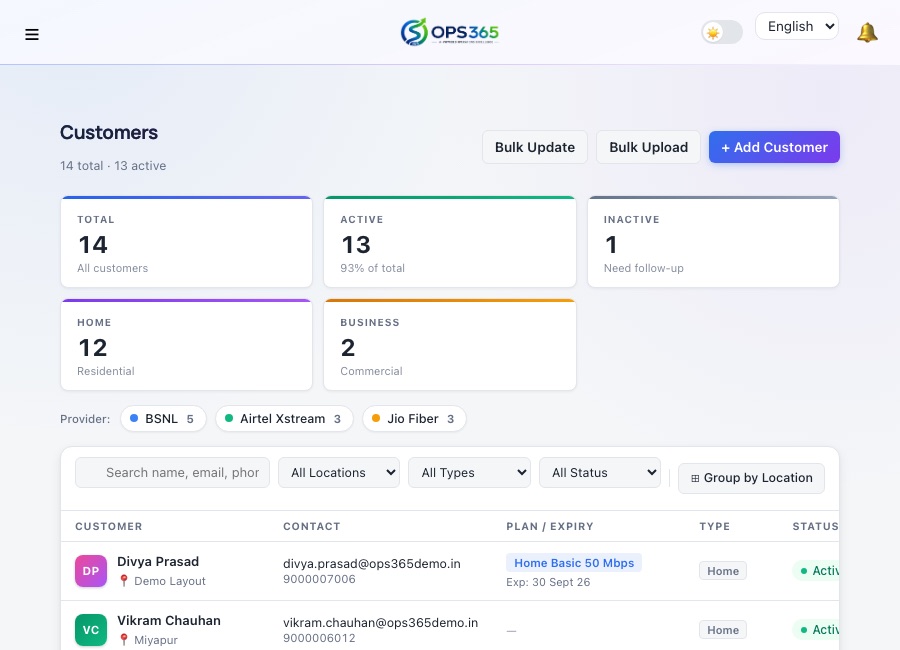
Customer management page showing KPI tiles, service provider filters, and a premium customer table
Customer Management & Self-Service

A complete customer profile — for staff and the customer themselves.

Manage every customer's plan, service provider, connection details, and document photos from one profile. Customers get their own login to check complaints, pay bills, and update their own contact details — no calls to your team for the basics, and no manual effort on your side.

  • Full customer profile — plan, service provider, OLT details, document photos
  • Bulk upload and bulk update via spreadsheet
  • Customer self-service login to update contact details, pay bills & track complaints
  • Group-by-location view for area-based roster management
  • Home/Business customer type with company name & GST tracking
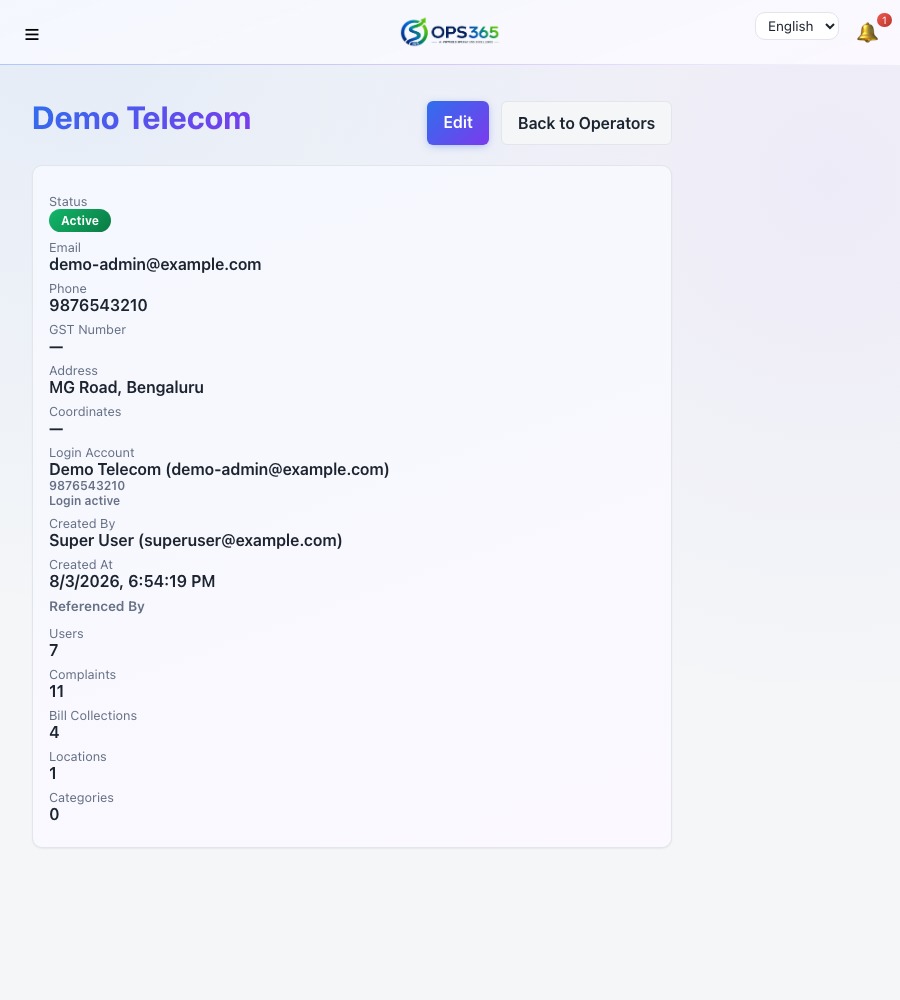
Operator profile screen showing business details and usage counts
Multi-Operator, White-Label

One platform, every franchise.

Running more than one brand or franchise? Each Operator gets its own logo, business profile, staff, and customers — completely isolated from every other operator on the same platform, with a superuser view across all of them when you need it.

  • Fully isolated data per operator, enforced server-side
  • Each operator's own branding on invoices and the customer portal
  • One superuser view across every operator, when needed
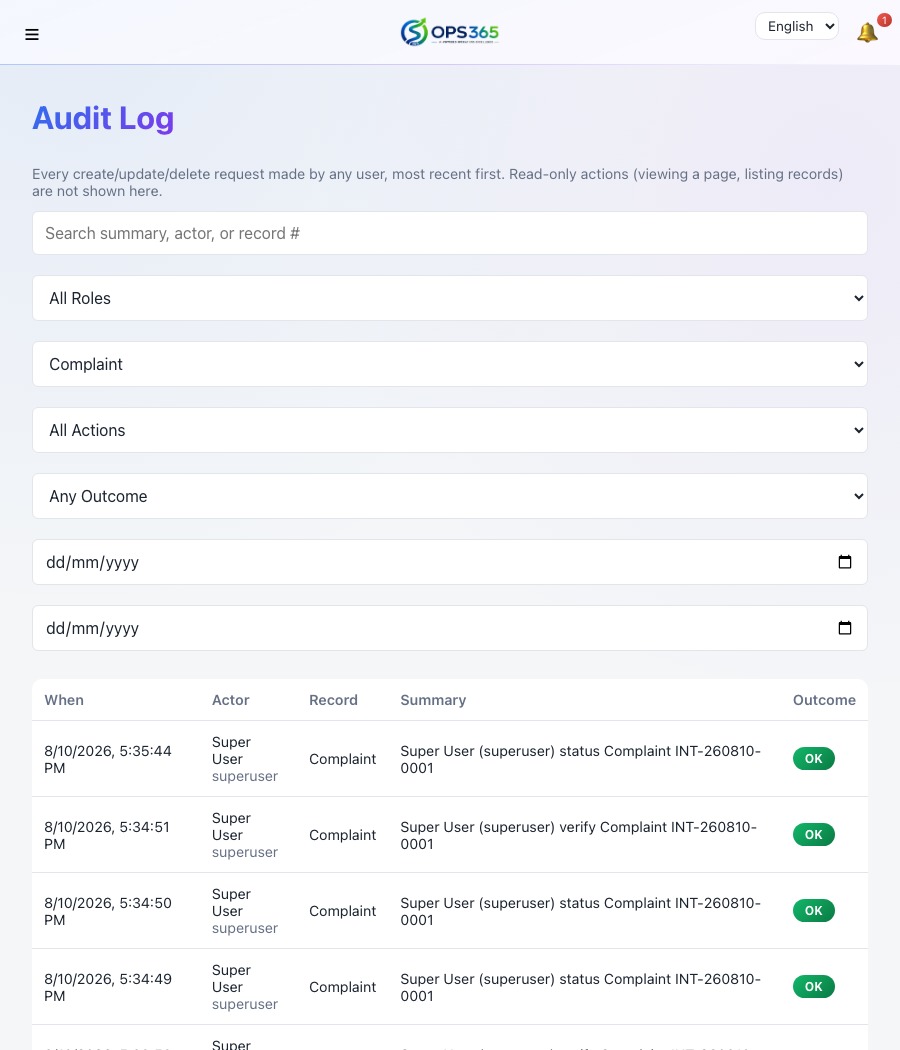
Audit Log screen showing filterable, timestamped records of every action
Real-Time, Secure by Design

Nothing falls through the cracks.

Assignments, resolutions, and updates push live over the whole team instantly. Behind the scenes, every mutating action is captured in an audit log, payment credentials are encrypted at rest, and access is scoped by role — an admin only ever sees their own operator's data.

  • Live notifications the moment something changes
  • Full audit log of every create, update, and delete
  • Role-based access across five distinct roles
  • Encrypted payment gateway credentials, never stored in plain text

One platform, built around three logins.

Employees, customers, and your management team each get exactly the screens they need — nothing more.

Employee Login

Everything a field team needs, on their phone.

  • My Assignments — complaints assigned to them, updated live
  • Log a complaint on a customer's behalf
  • Resolve a job with photo + GPS proof
  • Capture customer location & document photos
  • Record bill payments out in the field
  • Work sales leads assigned to them
  • Mark their own daily attendance
  • Track material used on every job — inventory take & give logging
  • Log and diagnose fiber cut incidents with OTDR readings
  • Call customers directly, with every attempt logged
  • Voice-to-text input, in English, Hindi & Telugu

Customer Login

A self-service portal your customers will actually use.

  • Submit a new complaint and track it to resolution
  • Accept or reject a proposed fix
  • View complete bill payment history
  • Pay any pending month — instantly online via Razorpay/Cashfree, or offline via GPay/PhonePe for quick approval
  • Refer a friend and track the reward
  • Talk to Support — a built-in voice assistant, when enabled
  • Submit a general support request, not just a complaint
  • Update your own contact details, including alternate phone numbers
  • Request a new connection right from your dashboard
  • Full experience in English, Hindi & Telugu

Simple pricing. No surprises.

Pick a plan that fits your operation today — every plan grows with you.

Starter

₹1,999/month

Best for a single, growing operator

  • 1 Operator account
  • Up to 500 customers
  • Complaint management
  • Manual bill collection
  • Core analytics dashboard
  • Email support

Enterprise

₹9,999/month

For multi-operator groups & franchises

  • Everything in Growth
  • Unlimited customers & operators
  • White-label branding
  • Full audit log & advanced security
  • Dedicated onboarding
  • SLA-backed support

Prices shown are indicative starting prices in INR, excluding taxes. Contact us for a plan tailored to your operation.

Frequently asked questions

Can I manage multiple franchises or branches from one account?

Yes. Ops365 supports unlimited independent Operator business units under one platform, each with its own branding, staff, customers, and data — completely isolated from every other operator.

Can my customers pay their bills online?

Yes, two ways. With Razorpay or Cashfree connected, a customer can pay any pending month instantly from their own dashboard. Without a gateway, they can still submit an offline GPay/PhonePe payment with a screenshot as proof, which your team reviews and approves before it counts as paid — any amount mismatch is flagged automatically.

Does Ops365 work on mobile devices?

Yes. Ops365 is fully responsive and used daily by field employees on their phones for GPS check-ins, photo proof of resolution, and attendance marking.

What languages does Ops365 support?

Ops365 currently supports English, Hindi, and Telugu across customer- and employee-facing screens.

Is my operator's data secure?

Yes. Every account is role-scoped so operators only ever see their own data, every action is recorded in an audit log, and sensitive credentials like payment gateway keys are encrypted at rest.

Support Center

We're just a message away.

↑